Healthcare Ergonomics: A Practical Guide to Safer, More Efficient Workflows
By First Products on Oct 6th 2026
What Is Ergonomics?
“Ergonomics is the design of work tasks and job demands to fit the capabilities of the working population.”
The National Institute for Occupational Safety and Health (NIOSH) describes ergonomics this way. NIOSH’s scientific research offers key recommendations for businesses and organizations to implement to prevent work-related musculoskeletal disorders (WMSDs) caused by physical, psychosocial, and personal factors. In other words, it considers the work people perform on the job.
Ergonomics looks at the task, the equipment, and the environment separately — furniture, tools, equipment, and tasks — and at how they work together for each person assigned the task.
How Does Ergonomics Apply in Healthcare?
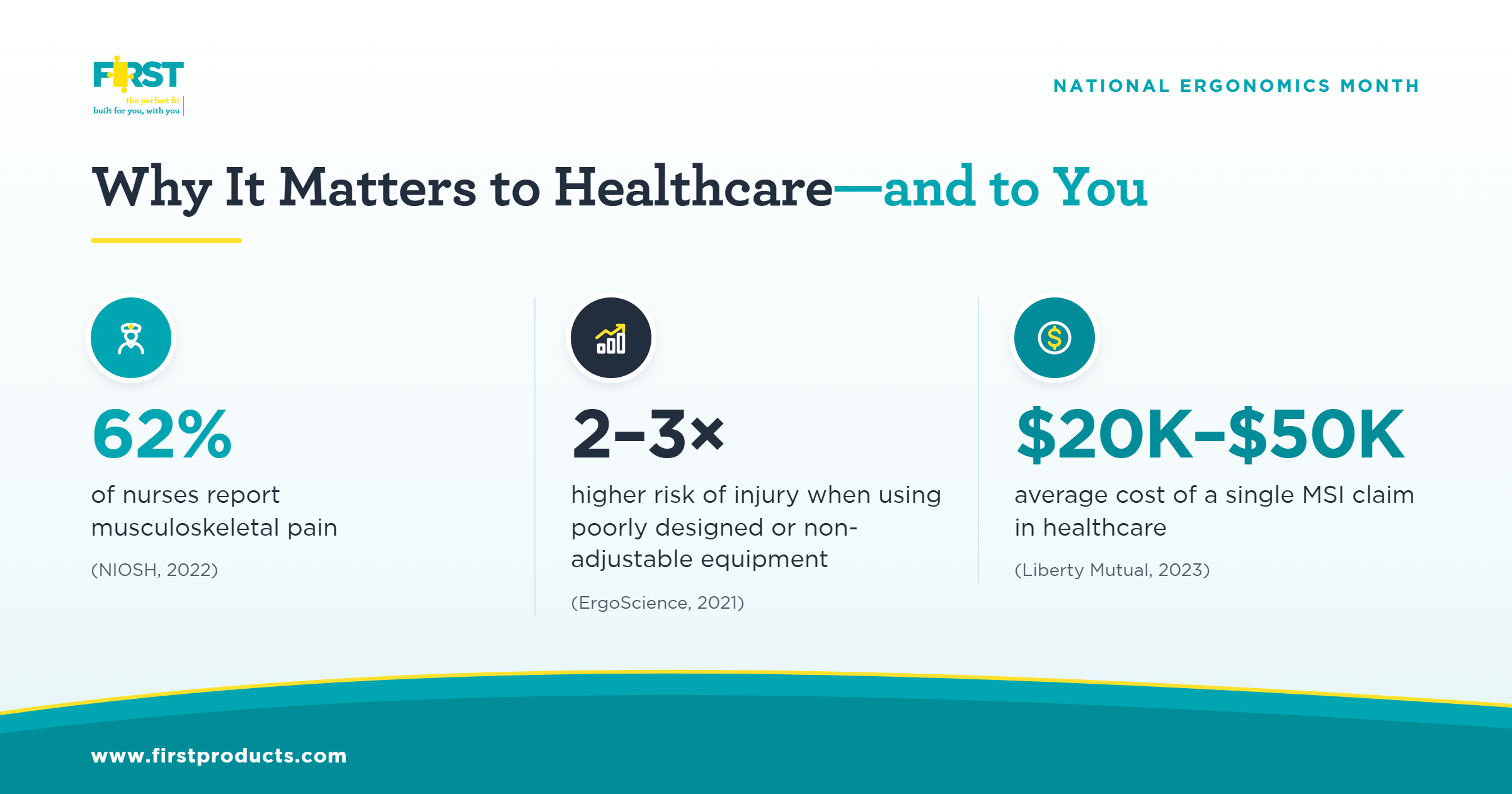
NIOSH frames it as patient care ergonomics, referring to equipment and environmental design that, when done properly, supports clinician and patient health and safety for any task; it is critical to the healthcare industry. “WMSDs are the leading cause of clinician lost-workday injuries and illnesses” (Occupational Safety and Health Administration).
Nursing Assistants Face the Highest Risk
The Bureau of Labor Statistics (BLS) data tracked by OSHA highlights that Nursing Assistant roles have the highest risk:
- Incidence rates are more than 4 to 5 times higher than the average for all U.S. workers (OSHA).
- Over 50% of all injuries and illnesses involving days away from work among nursing assistants are WMSDs.
What a Patient Care Ergonomics Review Documents
This means looking at all sides of a workflow task and the physicality of caregiver actions to understand where injury, fatigue, or unnecessary physical stress can occur. What is typically documented:
- Reaching actions and awkward postures during repeated tasks
- Equipment mobility and associated user force when pushing or pulling
- Equipment height and positioning for carts, or screen or monitor placement
- Equipment placement and interference, such as cable management or accessories
- Adjustment or repositioning of all of the above for changing workflows and shifts
These are all interactions between people, equipment, and the work environment; a mismatch in any of these areas (environment, equipment, or the worker) invites injury risk.
Will Your Workflows Pass This Ergonomics Check?
Good ergonomic design starts by understanding the work.
- Can the equipment be positioned appropriately for the broadest range of workers in each shift?
- Does the task require unnecessary reaching or twisting?
- Is equipment easy to move?
- Does the setup work for the people actually using it?
- What happens when the workflow changes?
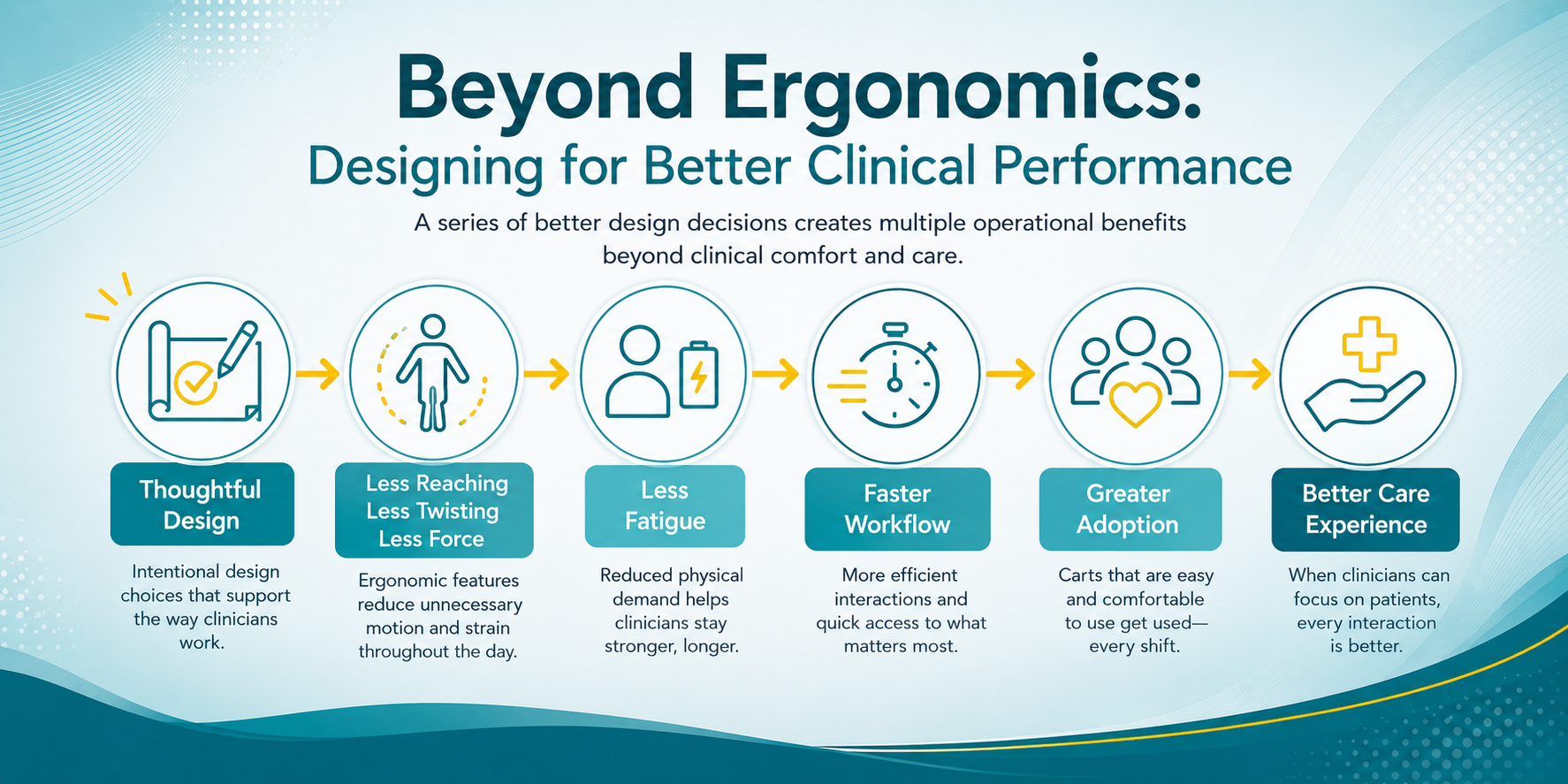
The last question reminds organizations to review ergonomics every time a new device or peripheral is introduced at any step in the workflow. Even small changes can trigger a chain reaction, affecting how staff interact naturally along the way.
Ergonomics Resources
Explore the resources below to learn more about ergonomics and healthcare workplace safety.
- NIOSH: Ergonomics and Work-Related Musculoskeletal Disorders
- Start here for ergonomic principles, risk factors, and prevention strategies.
- NIOSH: Elements of Ergonomics Programs
- Practical ways to identify and address ergonomic risks.
- OSHA: Ergonomics
- Resources highlighting ergonomic risk factors, prevention, and workplace programs.
- OSHA: Healthcare Ergonomics & Safe Patient Handling
- Useful resources regarding musculoskeletal risks associated with patient handling, lifting, and repositioning.
- NIOSH: Safe Patient Handling and Mobility
- Guidance and resources specific to healthcare around preventing injuries and WMSDs associated with manual patient handling.
Ergonomics and Mobile Medical Equipment
At First, we partner with healthcare organizations, software IT integrators, and OEMs to ensure every solution delivers functionality and significantly improves the healthcare experience, increases workplace efficiency, reduces stress, and enhances comfort for frontline workers. Mobile cart ergonomics and patient safety belong in the same purchasing conversation.
Here are three First Products resources to keep your October focused on what matters most:
- Read “How Ergonomics Became a Clinical Outcomes Issue. And What That Means for Cart Design” for a closer look at how cart design affects how clinicians move, reach, document, and use technology through their shifts.
- Explore our products for fully configured, ready-to-use solutions.
- Review our FirstFit™ Framework to examine how to build a solution unique to your caregiver needs.
See How Clinician-Informed Cart Design Comes Together
A specification sheet can’t fully describe how a workstation will perform during a real shift. The FirstFit™ Framework starts with your people, tasks, and environment.
Explore the FirstFit Framework >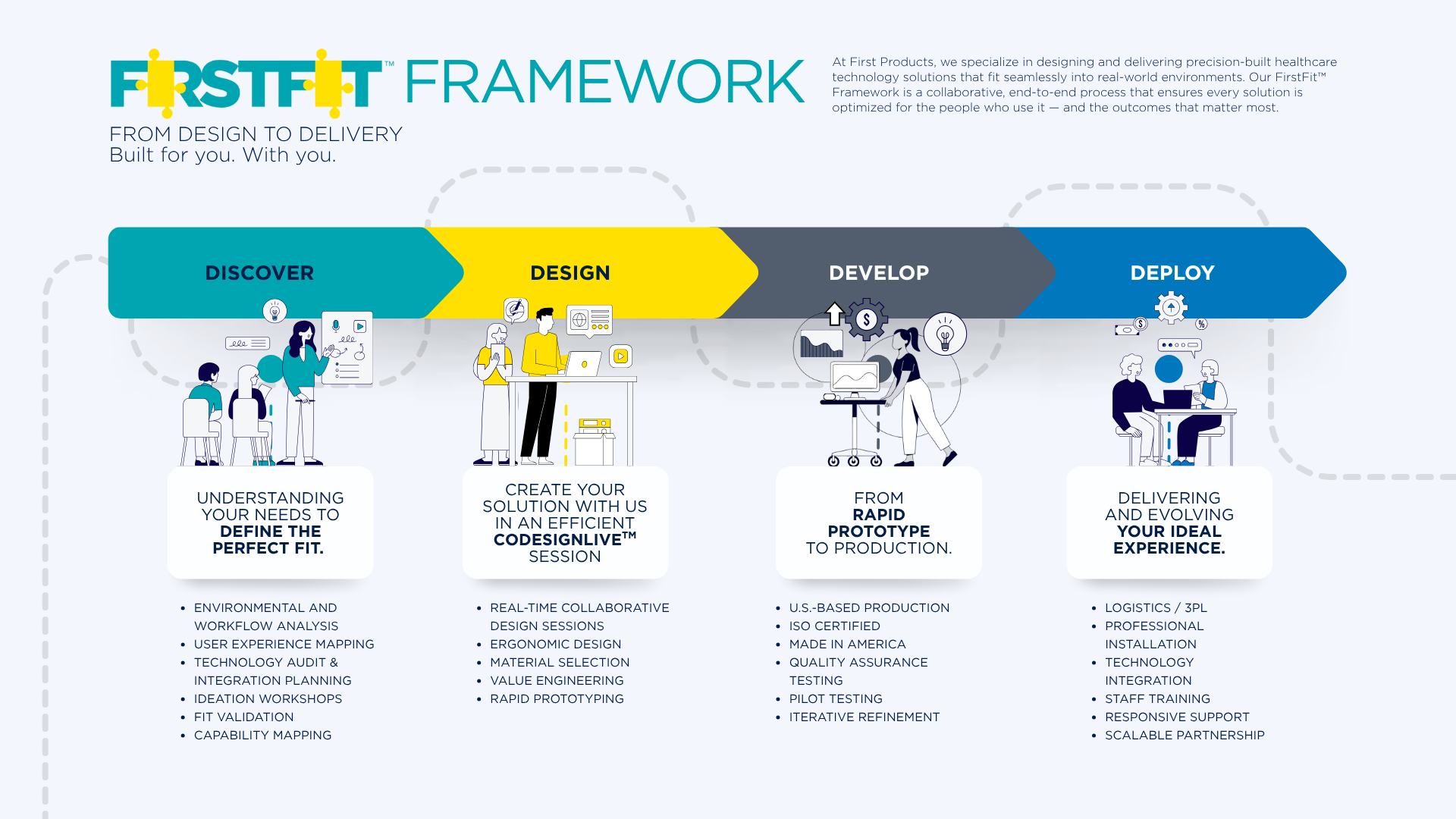
Frequently Asked Questions About Healthcare Ergonomics
What is ergonomics in healthcare?
Healthcare ergonomics focuses on designing tasks, equipment, technology, and environments around the capabilities and needs of healthcare workers and patients.
Why is ergonomics important when selecting medical carts?
Cart height, mobility, handle placement, monitor positioning, accessory placement, and adjustability can all influence how clinicians reach, move, view information, and interact with equipment.
What should hospitals consider when evaluating ergonomic equipment?
Consider the users, tasks, frequency of use, required devices and accessories, reach distances, viewing positions, mobility requirements, adjustability, and the physical environment where the equipment will be used.
Can adding technology affect ergonomics?
Yes. Adding monitors, scanners, computers, cameras, peripherals, or other devices can change equipment weight, reach distances, viewing angles, cable routing, and how clinicians interact with the overall setup.
What are some common ergonomic risks workers face in healthcare?
Common risks include awkward postures; repetitive movements like reaching, lifting, pushing, and pulling; prolonged standing; and working with equipment that is difficult to position or maneuver. Specific risks depend on the task, equipment, environment, and staff role.
How can healthcare organizations assess true ergonomic workflow needs?
Start by looking at the people, tasks, equipment, and environment involved. Observe how equipment is currently used and what will change with new equipment. Identify awkward movements or unnecessary effort, and prioritize input from the healthcare workers who use or will use specific equipment regularly.
Why should healthcare workers be involved in equipment selection?
Staff who use equipment every day can identify workflow challenges, positioning issues, and other ergonomic considerations not apparent from specifications alone. With their input, organizations can better evaluate a solution’s true fit for the work, team, and technical considerations and requirements.
Should ergonomic equipment be reevaluated when workflows or technology change?
Yes. New devices, software, peripherals, documentation requirements, or workflow changes can alter how healthcare workers interact with equipment. An ergonomic setup that worked well previously may need to be reconsidered as the work changes. A process that confirms the ergonomic soundness of changes is a solid risk-prevention measure.